
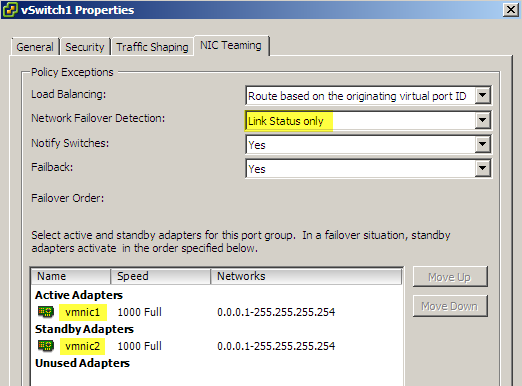
When you are using NIC Teaming you have a number of possible options to define the failover criteria. The failover criteria define when a NIC Team will switch from an active to a standby NIC. When you examine the HostNicFailureCriteria object in the API Reference Guide, you will notice that there are more criteria available than those that are accessible through the vSphere Client.In the vSphere client you can define which are you Active NICs and which are your Standby NICs. The failover in this case will happen when the active NIC goes down.
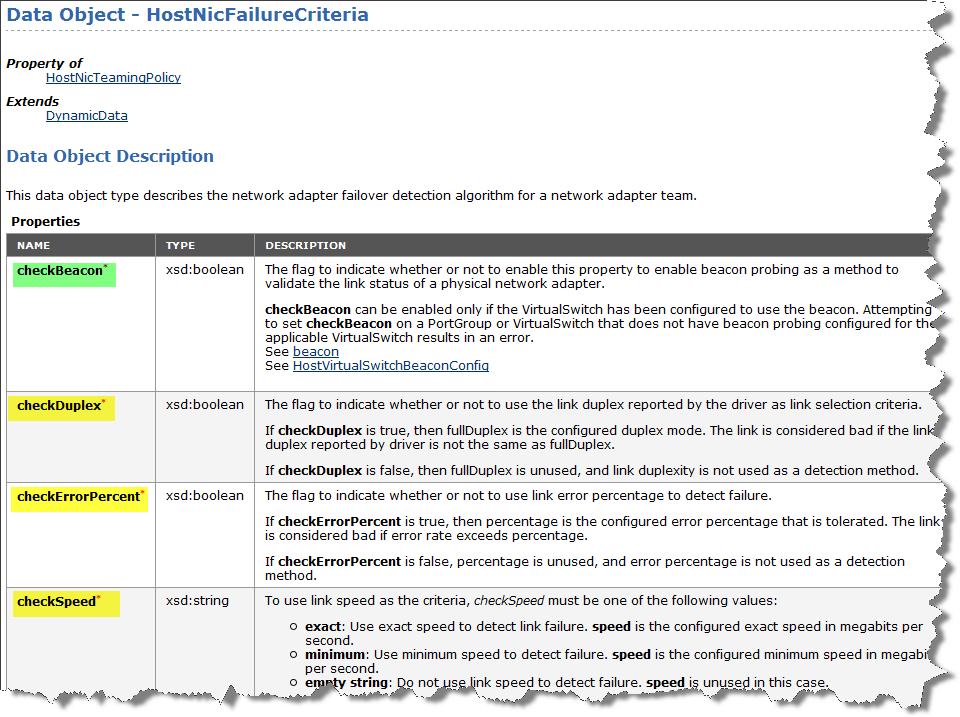
In the HostNicFailureCriteria object you can specify that the failover will occur based on the link’s
- duplexity.
- error percentage.
- speed.
For all these failure criteria you will have to configure the vSwitch or Portgroup to use beacon probing. The default link status only option will not support the “hidden” failover criteria above. Also note that the vSwitch needs to have beacon probing before you can use beacon probing on any of the portgroups.
For setting up NIC Teaming I refer to the document Portgroup – how to configure Nic Teaming published in the PowerCLI community.
The folllowing example script shows how you can set up NIC teaming with a failure criteria on the duplexity. When the Active NIC looses it’s full duplex mode, the team will switch over the Standby NIC.
Meda
is there a way i can use powercli to get the failover detection method thats configured on a dvswitch portgroup ( beacon probing or linkstatus)
michael
thanks for a great info, as always.
btw, host profiles allows to configure this parameters.
LucD
Thanks and yes, you can configure this with Host Profiles, provided you have an Enterprise Plus license.
My idea was to do something similar as Host Profiles starting from the XML file created with the script from TA2650 scripts – Part 1 – Profiling your vSphere environment