Another idea triggered by a post in the PowerCLI Community. Lars wanted to know where his VMs had been running in the past.
Since vSphere doesn’t maintain any historical data with the guests themselves, we have to fall back on the Tasks and Events to create such a report. The basic algorithm to query the tasks, and their related events, is already published in Events – Part 3 : Auditing VM device changes. But to get a historical record of the servers where your guests have been hosted requires a bit more logic in the script.
As I already mentioned in my previous post, Events – Part 6 : Working with extended events – Converter, another
add-on that produces extended events, is the Update Manager.
With the recent introduction of the vCenter Update Manager PowerCLI snapin, it is now fairly easy to automate all aspects of patch and update management in your vSphere environment. And with the help of the extended events produced by Update Manager, you can easily produce reports. This post shows one way of doing this.
Read more…
In a previous post, called Events, Dear Boy, Events – Part 2, I mentioned that some tools/add-ons use a special event type called ExtendedEvent. Two classic examples are the Converter and the Update Manager. If you want to compile a report for any these tools it’s important to understand what is available in the extended events they produce.
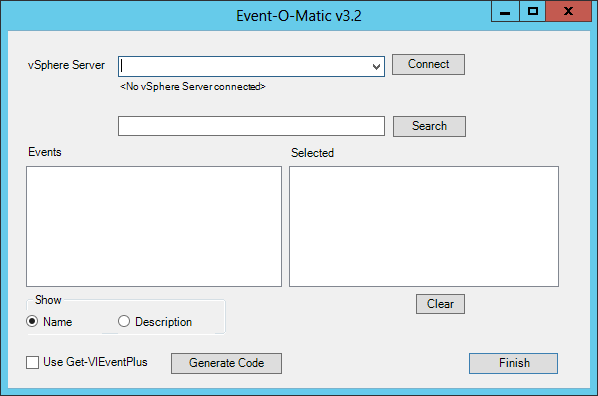
If you want to know if there are any other tools/add-ons in your vSphere environment that produce extended events, then you can use the first script from the Events, Dear Boy, Events – Part 2 post to get a complete list of all available extended events.
In this post I’ll show how to use the Converter extended events.
Read more…
An interesting question was raised in the PowerCLI community by Jörn. He wanted to find all the guests that had been powered off for more than a week.
Before you tackle such a request, it is useful to sit down and think a bit about the solution. If you are going to search through all the events in your vCenter to answer this question, you could be in for a surprise. Depending on the size and activity of your vSphere environment this straight-forward solution could run for hours !
But there is a better way of doing this.
Read more…
Yesterday, Cody published on his Professional VMware blog an excellent article, called vSphere Host Died Abandon Ship! – vSphere vCenter Alarms & Actions.
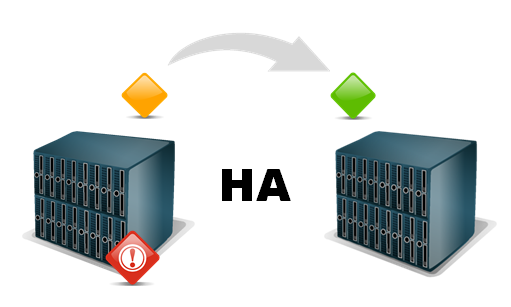
The article shows a very elegant solution how to move your guests to “safer havens”, the moment one of the hosts in the cluster starts experiencing hardware problems.
The elegance of Cody’s solution is that he uses maintenance mode to force vMotion on all the powered-on guests on the host that experiences HW problems.
Read more…
In a comment on my Events – Part 3 : Auditing VM device changes post, Ian asked if it was possible to report who started a VM.
To take away the suspense, yes that can be done by using the information from two of my earlier post.

Since I considered it a bit too long to give the solution in a comment, this post.
Read more…
In a comment on my Events, Dear Boy, Events – Part 2 post, Sham was wondering if it was possible to find out which device was actually changed on a guest.
Sham was able to find out who did a change, at what time and on which machine, but he also wanted to know what exactly was changed.
Since this is the kind of audit information that I would like to have as well I had a closer look. And luckily the VmReconfiguredEvent object had all the required information in the configSpec property.
Read more…
In the previous part of this series (Alarm expressions – Part 1 : Metric alarms) I showed how you could create alarms that are triggered when a metric crosses a watermark.
In this part I will show you how to create alarms when one or more specific events occur in your vSphere environment. More specifically I will show you how to create an alarm that will fire when someone adds or removes a license from your vCenter.
Read more…
In a previous entry (see Events: a great source of information – Part 1) I showed how to use the VmCreatedEvent event to find out which guests were created longer than 30 days ago.
In the vSphere SDK documentation there are currently 432 events listed. That makes it sometimes hard to decide which event(s) to use for your reporting/auditing needs.
But luckily there are some tricks to make it easier on you.
Read more…