Another interesting question in the PowerCLI Community today.
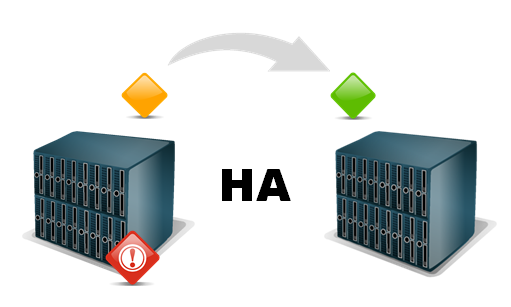
David wanted to know if it was possible to track which VMs had been failed over to another ESXi host by HA.
With the Get-VIEventPlus function from my Get the vMotion/svMotion history post it is easy to get that informatiom from the Tasks and Events that are kept in the vCenter database.

But which event to look for ?
Read more…
The availability of vMotion and svMotion, provided you have a license that allows it, in vSphere are some of its key features.
The DRS and SDRS functionality will use vMotion and svMotion to better use the available resources.
And you as a vSphere administrator can use it to facilitate your work. Just think of how easy patching or datastorecluster maintenance becomes with the help of these two features.
But as an administrator you want to be able to report on what vMotion and svMotion have been doing over a specific time interval in your vSphere environment.
In the past I already provided a vMotion reporting tool in Events – Part 8 – vMotion history, but now it was time to provide a universal (s)vMotion reporting feature.
Read more…
During our presentation at the Dutch VMUG Event 2011, Alan and myself showed how several entries of the Top 10 vSphere 5 Features session could be automated with the help of PowerCLI. In the session we showed several demos.
This post is the first in a series, that will publish and document most of the scripts we used for the demos.
On the first position in the Top 10 we have Storage DRS. This feature brings intelligent placement of VMs and storage load balancing based on space usage and IO metrics. See part 4, part 5 and part 6 in Cormac‘s excellent series on vSphere 5 Storage Features.
Read more…
Categories: 2011, Dutch, SDRS, VMUG, vSphere Tags: 2011, Dutch, event, SDRS, Top-10, VMUG, vSphere
The VMTN Communities have always been a useful source of inspiration for writing scripts. This week, for example, there was an intriguing question raised in the Onyx Community. The user wanted to know if it was possible to monitor changes in the vSphere environment in real time.
As far as I know there is no API in the vSphere SDK to do real time monitoring. But the EventHistoryCollector can deliver something that I prefer to call nearly real time monitoring. The following script is a very basic function, written primarily to show that this principle of nearly real time monitoring works. The function displays some selected properties of each event it sees.
Read more…
Another idea triggered by a post in the PowerCLI Community. Lars wanted to know where his VMs had been running in the past.
Since vSphere doesn’t maintain any historical data with the guests themselves, we have to fall back on the Tasks and Events to create such a report. The basic algorithm to query the tasks, and their related events, is already published in Events – Part 3 : Auditing VM device changes. But to get a historical record of the servers where your guests have been hosted requires a bit more logic in the script.
As I already mentioned in my previous post, Events – Part 6 : Working with extended events – Converter, another
add-on that produces extended events, is the Update Manager.
With the recent introduction of the vCenter Update Manager PowerCLI snapin, it is now fairly easy to automate all aspects of patch and update management in your vSphere environment. And with the help of the extended events produced by Update Manager, you can easily produce reports. This post shows one way of doing this.
Read more…
In a previous post, called Events, Dear Boy, Events – Part 2, I mentioned that some tools/add-ons use a special event type called ExtendedEvent. Two classic examples are the Converter and the Update Manager. If you want to compile a report for any these tools it’s important to understand what is available in the extended events they produce.
If you want to know if there are any other tools/add-ons in your vSphere environment that produce extended events, then you can use the first script from the Events, Dear Boy, Events – Part 2 post to get a complete list of all available extended events.
In this post I’ll show how to use the Converter extended events.
Read more…
An interesting question was raised in the PowerCLI community by Jörn. He wanted to find all the guests that had been powered off for more than a week.
Before you tackle such a request, it is useful to sit down and think a bit about the solution. If you are going to search through all the events in your vCenter to answer this question, you could be in for a surprise. Depending on the size and activity of your vSphere environment this straight-forward solution could run for hours !
But there is a better way of doing this.
Read more…
Yesterday, Cody published on his Professional VMware blog an excellent article, called vSphere Host Died Abandon Ship! – vSphere vCenter Alarms & Actions.
The article shows a very elegant solution how to move your guests to “safer havens”, the moment one of the hosts in the cluster starts experiencing hardware problems.
The elegance of Cody’s solution is that he uses maintenance mode to force vMotion on all the powered-on guests on the host that experiences HW problems.
Read more…
In a comment on my Events – Part 3 : Auditing VM device changes post, Ian asked if it was possible to report who started a VM.
To take away the suspense, yes that can be done by using the information from two of my earlier post.

Since I considered it a bit too long to give the solution in a comment, this post.
Read more…